16/09/2026
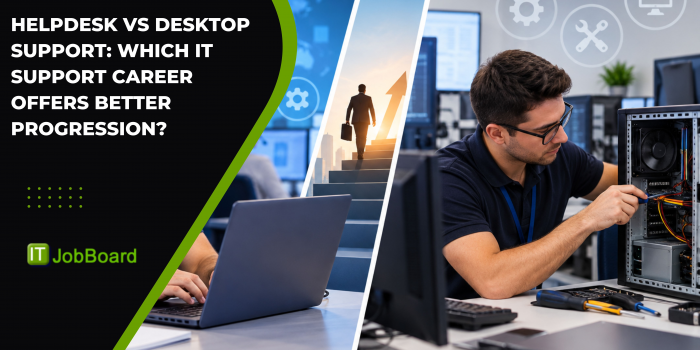
Helpdesk vs Desktop Support: Which IT Support Career Offers Better Progression?
When comparing Helpdesk vs Desktop Support, both roles involve solving technical problems and helping users, but they usually differ in the type of support provided. Helpdesk professionals are often the first point of contact for IT issues, while Desktop Support professionals typically deal more directly with user devices, operating systems, hardware and on-site or endpoint problems. For people considering Helpdesk Jobs or Desktop Support Jobs, understanding these differences can help identify the right starting point and longer-term career direction.
What Is a Helpdesk Role?
A Helpdesk role usually provides the first level of technical assistance when users experience IT problems.
Helpdesk professionals may receive support requests through telephone, email, chat or ticketing systems. They assess the issue, provide an initial solution where possible and escalate more complex problems to the appropriate technical team.
Typical Helpdesk responsibilities include:
- Logging and managing support tickets
- Troubleshooting common software problems
- Resetting passwords and user accounts
- Supporting Microsoft 365 and business applications
- Diagnosing basic connectivity issues
- Assisting users with hardware problems
- Following escalation procedures
- Maintaining support documentation
- Monitoring service-level agreements
- Communicating with users throughout the resolution process
The IT Job Board Helpdesk category includes first-line service desk positions as well as more advanced support and desktop-related roles.
What Does a Desktop Support Professional Do?
Desktop Support professionals generally provide more hands-on technical assistance for employee devices and workplace technology.
Their responsibilities can include supporting:
- Desktop computers
- Laptops
- Printers
- Monitors
- Mobile devices
- Operating systems
- Business applications
- Network connectivity
- User accounts
- Endpoint management tools
Desktop Support can involve diagnosing problems directly on a user's device rather than simply providing initial troubleshooting remotely.
For example, if an employee cannot access an application, a Helpdesk professional may perform initial checks and determine whether the issue requires escalation. A Desktop Support Engineer may then investigate the workstation, operating system, application configuration or device environment in greater detail.
What Is the Main Difference Between Helpdesk and Desktop Support?
The main difference is the level and type of technical interaction with users and devices.
A Helpdesk role is often focused on:
- First-line support
- Ticket management
- Initial troubleshooting
- User communication
- Issue categorisation
- Escalation
Desktop Support is often more focused on:
- End-user devices
- Hardware troubleshooting
- Operating systems
- Software installation
- Device configuration
- On-site technical support
- More complex endpoint problems
However, the distinction is not absolute. Some employers combine Helpdesk and Desktop Support responsibilities into one position.
This is particularly important when searching for jobs because the same title can have different responsibilities depending on the organisation.
Which Role Is More Technical?
Desktop Support is often more hands-on technically, particularly when the position involves device configuration, operating systems, networking and endpoint management.
Helpdesk professionals also need technical knowledge, but many entry-level Helpdesk roles place greater emphasis on troubleshooting processes, communication and ticket management.
For example, a Helpdesk professional might diagnose a user's problem and identify the likely cause.
A Desktop Support Engineer might investigate the device itself, examine system settings, reinstall software, configure hardware or troubleshoot the operating system.
As professionals gain experience, both roles can become increasingly technical.
What Skills Do Helpdesk Professionals Need?
A successful Helpdesk professional needs a combination of technical and communication skills.
Important technical knowledge includes:
- Windows
- Microsoft 365
- Active Directory
- Basic networking
- Hardware troubleshooting
- Software troubleshooting
- Ticketing systems
- Remote support tools
- User account management
Communication is equally important.
Helpdesk professionals often work with users who may not understand technical terminology. The ability to explain a solution clearly and patiently can therefore be just as important as knowing the technology.
The existing IT Job Board Helpdesk content also highlights troubleshooting, ticketing systems, user support and escalation as common aspects of the role.
What Skills Do Desktop Support Professionals Need?
Desktop Support requires many of the same fundamentals but can involve deeper endpoint knowledge.
Useful skills include:
- Windows administration
- Hardware troubleshooting
- Software installation
- Device configuration
- Active Directory
- Microsoft 365
- Networking fundamentals
- Endpoint management
- Remote desktop tools
- Security awareness
Some Desktop Support roles also involve supporting mobile devices, printers, meeting-room technology and specialist business equipment.
For professionals aiming to progress into systems administration or infrastructure roles, this hands-on exposure can be particularly valuable.
Is Helpdesk a Good Starting Point for an IT Career?
Yes. Helpdesk can provide a broad introduction to IT.
Entry-level professionals can gain experience with different technologies while learning how organisations manage incidents, users and technical services.
From Helpdesk, possible career directions include:
- Desktop Support
- Technical Support
- Systems Administration
- Network Engineering
- Cloud Support
- Cyber Security
- IT Service Management
- IT Project Management
This makes Helpdesk useful for people who are still deciding which technical area they want to specialise in.
However, progression normally requires professionals to build additional technical skills rather than relying solely on years of Helpdesk experience.
Can Desktop Support Lead to Higher-Level IT Roles?
Yes. Desktop Support can provide a strong foundation for several technical careers.
Professionals may progress towards:
- Senior Desktop Support Engineer
- Systems Administrator
- Network Engineer
- Infrastructure Engineer
- Cloud Engineer
- Endpoint Management Specialist
- Cyber Security Specialist
- IT Manager
Desktop Support can be particularly useful for people who enjoy hands-on technical problem-solving and want to understand how workplace technology operates.
Developing skills in areas such as Microsoft Azure, Microsoft Intune, networking, PowerShell, Active Directory and security can help broaden future career options.
Which Role Has Better Career Progression?
Neither role automatically offers better progression. The outcome depends on the skills developed alongside the job.
Helpdesk may be better suited to someone who wants to:
- Enter IT without extensive experience
- Develop troubleshooting skills
- Work directly with users
- Learn different technologies
- Explore different IT specialisms
Desktop Support may be better suited to someone who wants to:
- Work directly with devices
- Develop deeper technical skills
- Troubleshoot operating systems
- Work with endpoint technology
- Move towards infrastructure roles
A Helpdesk professional can move into Desktop Support, while a Desktop Support professional can move into systems, network, cloud or security roles.
Should You Choose Helpdesk or Desktop Support?
The best choice depends on your current skills and career goals.
If you are relatively new to IT and enjoy helping people solve everyday technology problems, Helpdesk Jobs can provide a practical starting point.
If you already understand computers, operating systems and hardware and prefer hands-on technical troubleshooting, Desktop Support Jobs may be more suitable.
It is also worth looking at IT Support Jobs and Technical Support Jobs, because employers do not always use job titles consistently. Current IT Job Board content shows that Helpdesk, Desktop Support and Technical Support responsibilities can overlap considerably.
What Should You Look for in a Job Description?
Before applying, examine the actual responsibilities rather than relying only on the job title.
Look for information about:
- First-line or second-line support
- Hardware responsibilities
- Software troubleshooting
- On-site requirements
- Remote support
- Microsoft 365
- Active Directory
- Networking
- Endpoint management
- Ticketing systems
- Escalation responsibilities
- Training opportunities
A Helpdesk position that includes second-line responsibilities could provide more technical exposure than a basic first-line role.
Likewise, a Desktop Support position could range from basic workstation support to advanced endpoint engineering.
Final Answer: Helpdesk vs Desktop Support
The main difference between Helpdesk vs Desktop Support is the nature of the technical work. Helpdesk roles are commonly focused on first-line assistance, ticket management, user communication and initial troubleshooting. Desktop Support roles generally involve more direct work with computers, devices, operating systems and endpoint problems.
For someone starting an IT career, Helpdesk can provide broad exposure to technology and users. For someone who prefers hands-on technical troubleshooting, Desktop Support may provide a more suitable route.
Both can lead to strong IT careers. The most important factor is the technical experience, certifications and specialist skills you develop as you progress.
FAQs
1. What is the difference between Helpdesk and Desktop Support?
Helpdesk professionals often provide first-line technical assistance and manage support requests, while Desktop Support professionals generally provide more hands-on assistance with computers, devices, operating systems and endpoint problems.
2. Is Helpdesk a good starting point for an IT career?
Yes. Helpdesk can provide experience in troubleshooting, user support, ticket management and IT service processes. It can also lead towards Desktop Support, systems administration, networking, cloud and cybersecurity.
3. Is Desktop Support more technical than Helpdesk?
Desktop Support is often more hands-on and can require deeper knowledge of hardware, operating systems and endpoint technology. However, the technical level varies significantly between employers.
4. Can I move from Helpdesk to Desktop Support?
Yes. Helpdesk experience can provide a foundation for Desktop Support. Developing skills in Windows, hardware, networking, Active Directory and endpoint management can help prepare for the transition.
5. Which career has better progression, Helpdesk or Desktop Support?
Neither is automatically better. Helpdesk can provide broad exposure to IT, while Desktop Support can provide deeper hands-on technical experience. Both can lead to specialist and senior IT roles.